Your roster. Your entries. Their times.
Software for swim coaches. Who's on the team, who's entered this weekend, and how they're swimming — in one place. We don't run the meet.
One login for the club team and the high school. Times stay with the team you're coaching today.
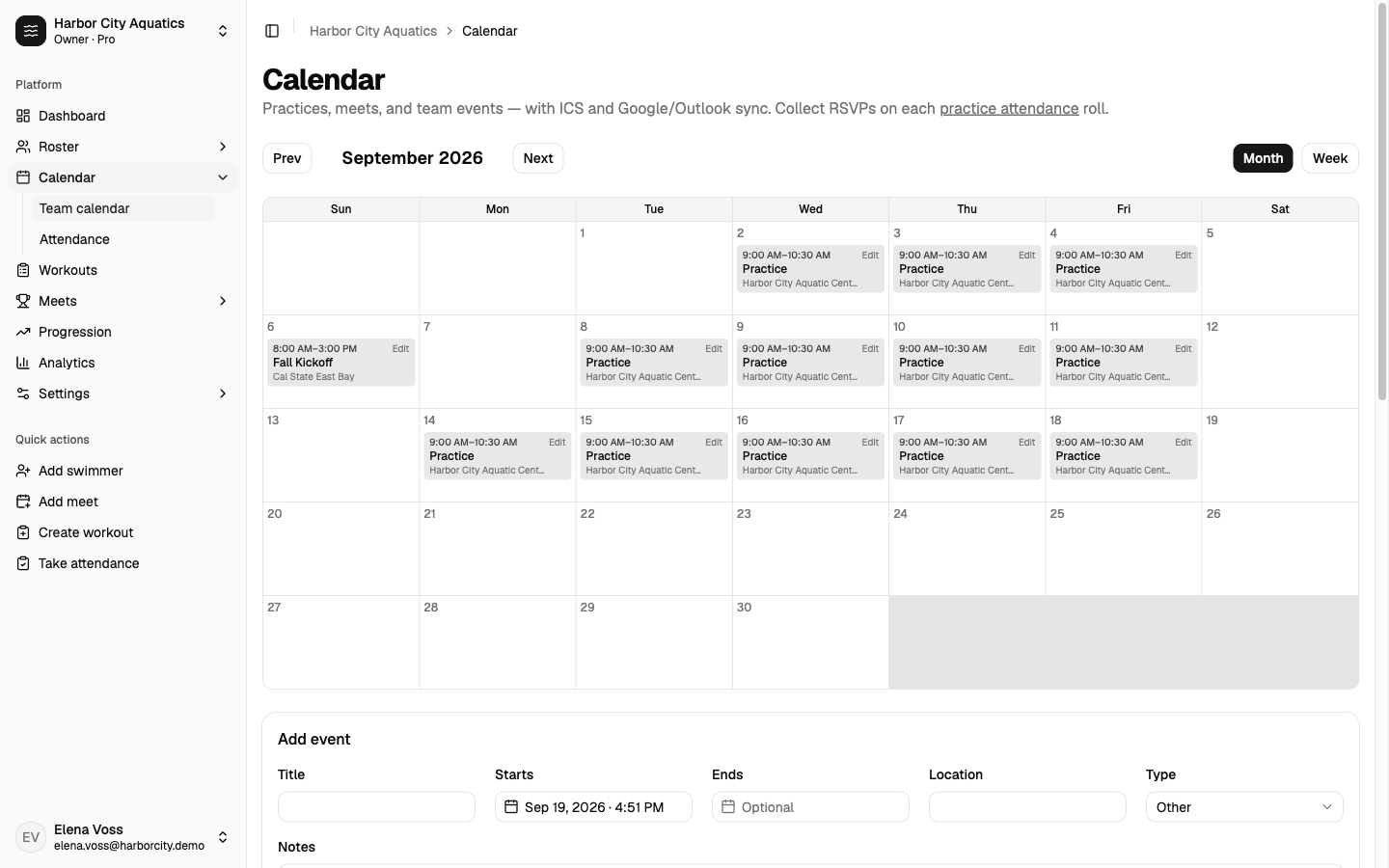
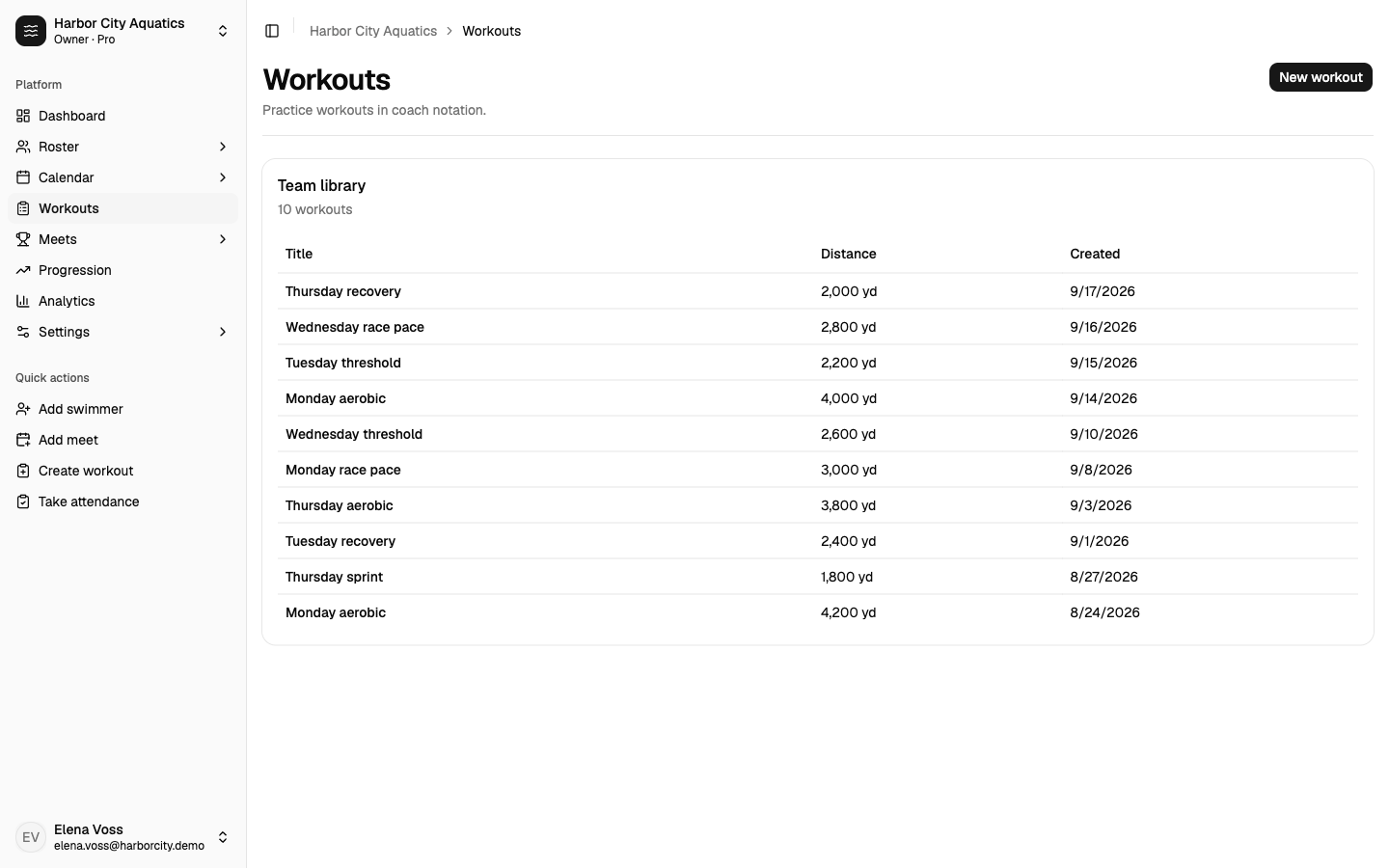
Team screenshots
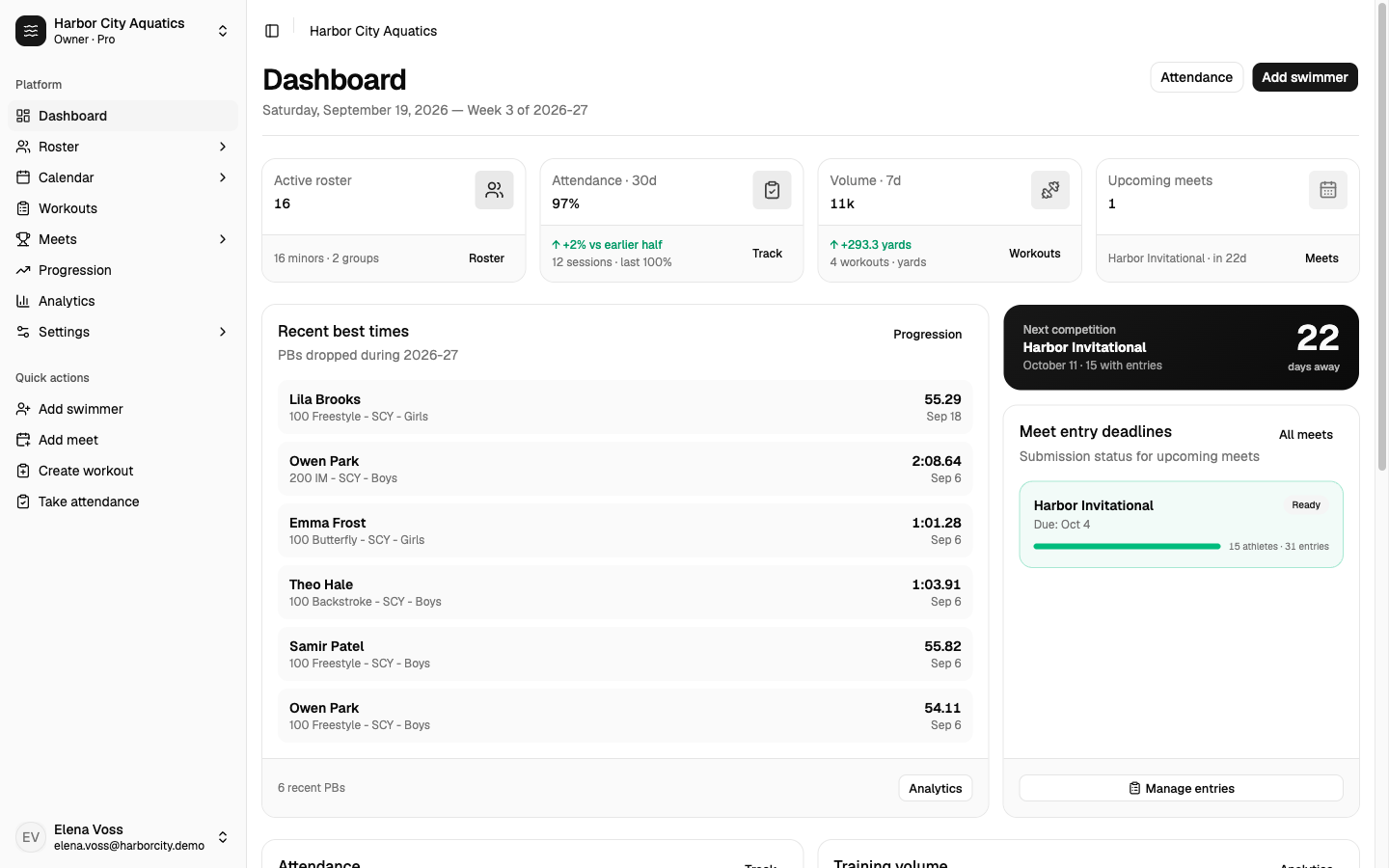
The work that never makes the heat sheet.
Every meet still asks the same things of a coach: who's going, what they seed, and whether Sunday's results make it back onto the roster. None of that shows up on the heat sheet.
Seed times
Before: Typing them again from a printout, last season, or memory.
Instead: Best times on the roster fill the entry. You can still change them.
Who's going
Before: The event list in one place. The lineup in another.
Instead: One meet. Look at it by event or by swimmer.
After the meet
Before: Results in a file. Best times in a spreadsheet. Cuts in your head.
Instead: Import results. New time sits next to last best and the cut.
Entries in meet order, not a spreadsheet of names by event.
Individuals and relays in event order, the way the meet is swum. Switch to by-swimmer when you're checking who has too many events. Seed times come from best times. High school event limits show up before you send the file.
Meet entries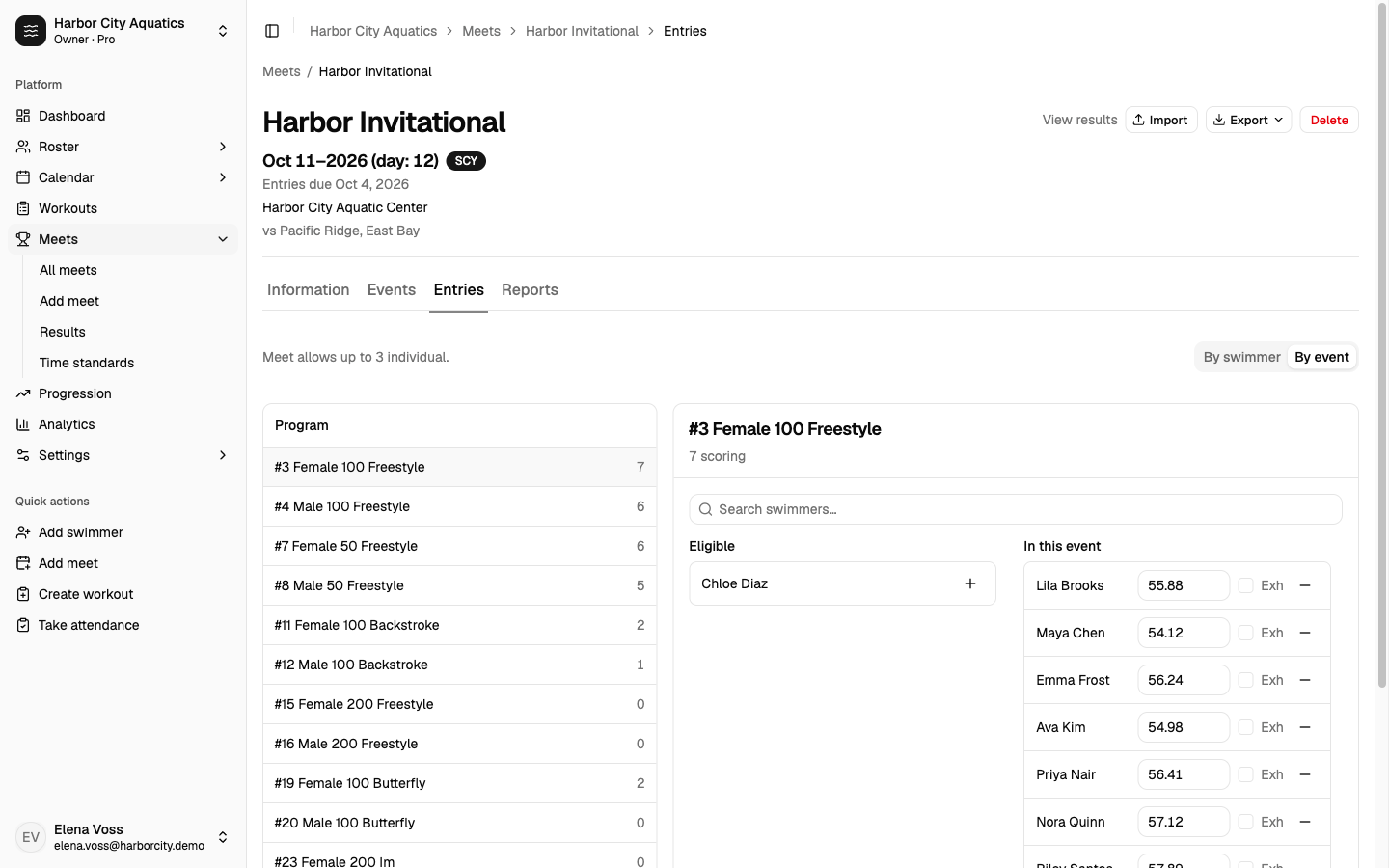
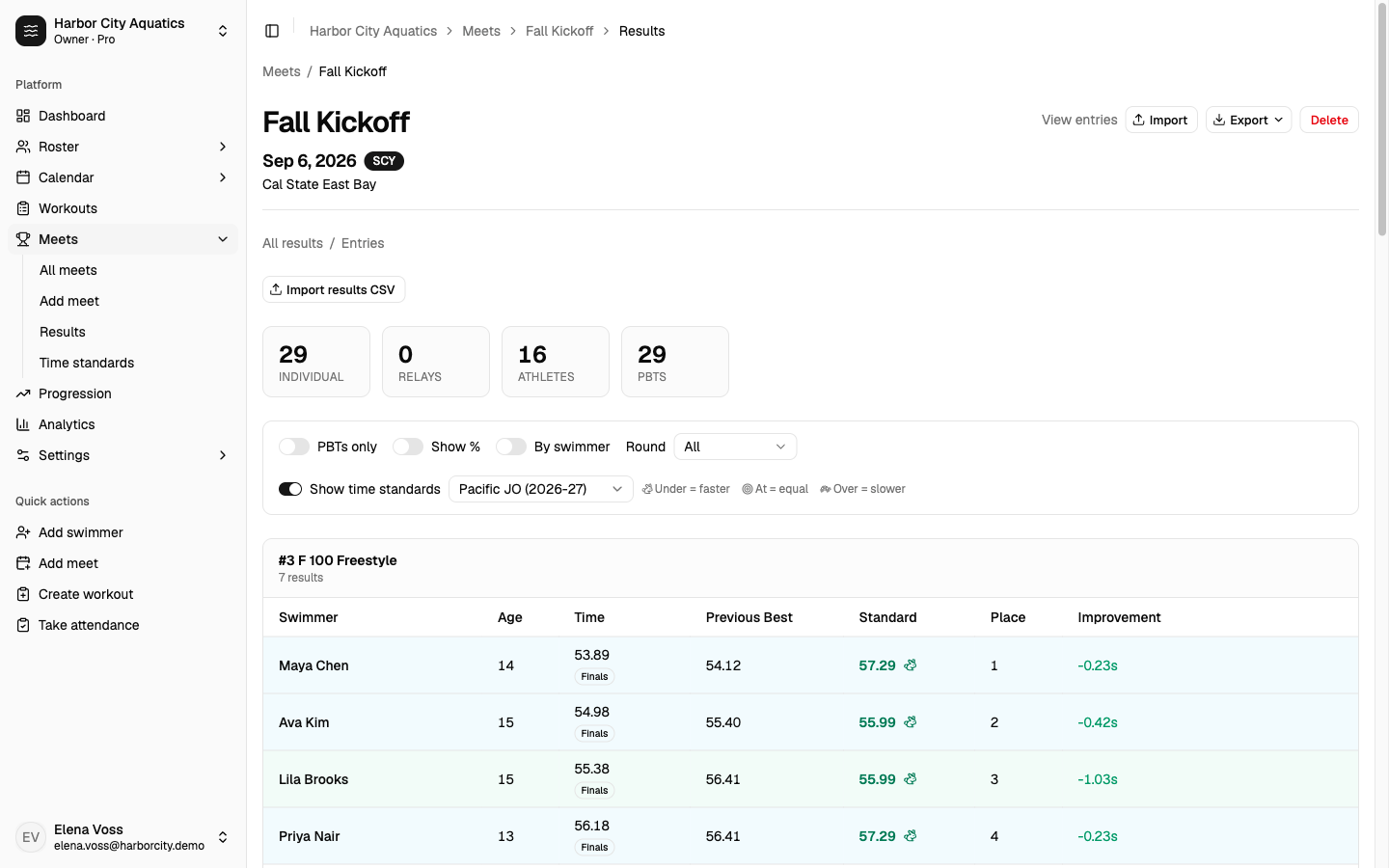
Sunday results next to last best, not a paste into Excel.
Bring the results file back in. Previous best is on the row. Turn on JO or sectionals without leaving the meet. See who was at practice, how much they swam, and who already made the cut.
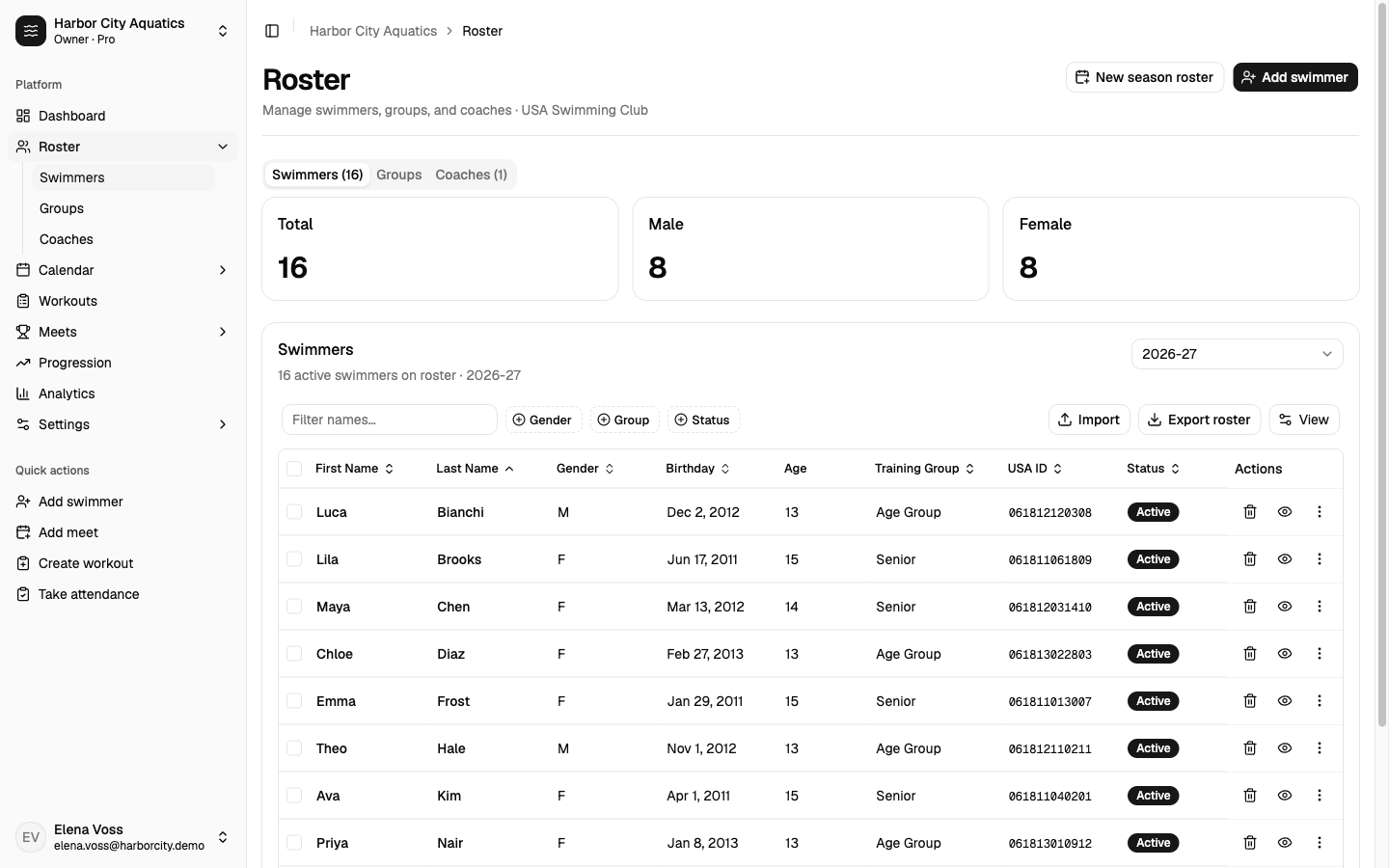
- RosterSwimmers, groups, coaches, and season enrollment.
- Meets and entriesWho's going, the file they asked for, then results next to last best.
- WorkoutsWrite sets and keep practice on the team calendar.
- CalendarPractices, meets, attendance, and calendar sync.
- ProgressionBest times, season charts, and the cut for this team only.
- AnalyticsVolume, attendance, top times, and who already made the cut.
Event file in. Entries out. Results back.
The same week you already have. We don't run the pool.
Bring in the event file
Import EV3, HYV, XLS, or a ZIP. Events, sessions, divisions, and qualifying times land on the meet. Dive events are skipped so a swim-only team is not blocked.
Mark who's going
Enter individuals with seed times from your best times, staff relays, and scratch without deleting the row.
Send the file they asked for
Export HY3 or CL2 for Meet Manager, or SDIF if that's what they asked for. Print entries and a split sheet before you send it.
Bring results back
Import HY3, CL2, or ZIP. Previous best sits next to the new time. Toggle JO or sectionals to see who went under. Faster swims update best times. Unmatched rows stay visible.
Files they already know how to open.
You build the lineup once. The people running the meet still get the file they asked for.
- HY3
- CL2
- EV3
- HYV
- SDIF / SD3
- XLS
- ZIP
What this is not
This is for the coach. Not a parent app, not dues, not the timing system.
Start with the next meet on your calendar.
Create a team, bring in the event file, and send your entries. Free for one coach. No credit card.